Multi-level IVR
Manage High Volume of Calls & Improve CSAT With Multi-level IVR
Improve your call management with KrispCall’s multi-level IVR system. Segment and route incoming calls efficiently, ensuring that your customer reaches the right team or information quickly. Optimize the routing of incoming calls and boost customer satisfaction with KrispCall’s user-friendly and flexible solution.


Get a Virtual Number
Get local, mobile, and toll-free virtual phone numbers from 100+ countries and expand your business worldwide.
Businesses often struggle with the challenge of managing high call volumes. And with limited phone lines, customer calls are often dropped. That’s a fact as 75% of customers believe that it takes too long for them to reach a real human agent and they often abandon the call.
However, with a multi-level IVR implemented into their phone system, businesses can efficiently navigate through call traffic. With it, they can offer self-service options, reduce misdirected calls, and streamline the call routing processes. Additionally, they can improve customer satisfaction and reduce average wait times, resulting in a smoother, more efficient call experience.
So, let’s learn what a multi-level IVR system is, how it operates, what its benefits are, and discover how it can improve the capabilities of your business phone system.
What is Multi-level Interactive Voice Response (IVR)?
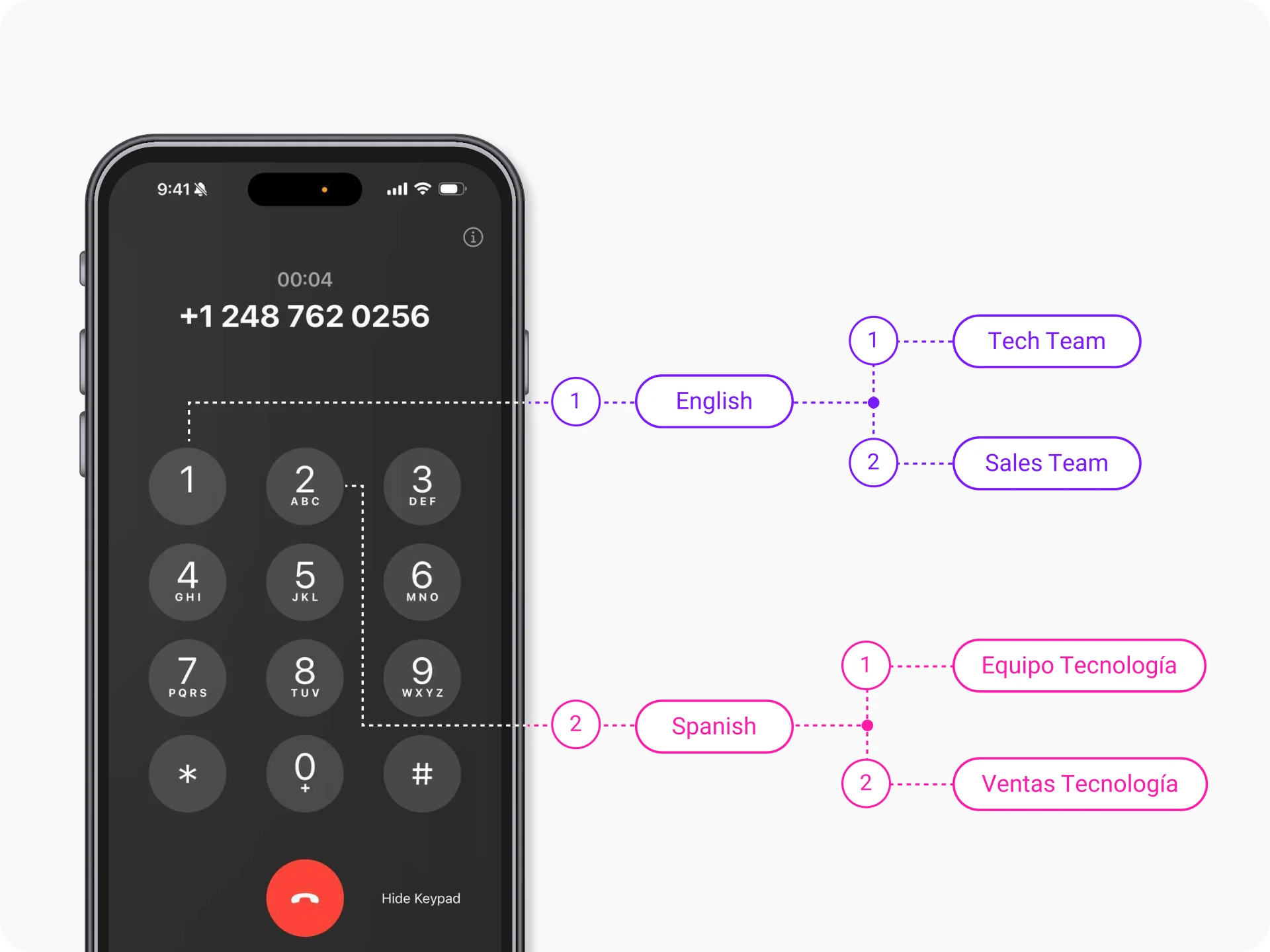
A multi-level IVR is an automated call routing system that allows callers to navigate through choices in the phone menu by responding to voice or keypad inputs. There are several levels of interaction in a multi-level IVR, each offering user-specific choices or actions that may lead them to an agent, queue, information, or action as needed. It is a more advanced version of the standard IVR system that has few options. It takes the core concept of automated menus, or voice prompts to a new level by offering multi-layered options or tiers with more depth and complexity.
Being an automated answering service, multi-level IVR is used to help callers with self-service options. It helps callers reach their intended destination, which can either be a call queue leading to a human agent, knowledge bases, or an action directly.
How Does Multi-level IVR Work?
Multi-level IVR works similarly to that of a standard IVR but with more variables. Unlike a standard IVR that has limited options, a multi-level IVR system offers more customization and flexibility.
A multi-level IVR works through a series of interconnected menus and prompts, assisting customers in finding the information they are looking for. It has multiple menu options in the IVR call flow, each leading to a series of interconnected submenu listings with more specific options.
It provides callers with multiple options to self-serve themselves or just reach the exact destination they want. It offers more personalized options for customers to choose from, allows for customized greetings, and is often used to improve the caller’s journey.
Multi-level IVR vs. Single-level IVR: The Differences
Multi-level IVR |
Single-level IVR |
|---|---|
Multiple levels with sub-menus, offering a wider range of options. |
Single-level menu with limited choices. |
It is more complex, catering to larger organizations with diverse departments and services. |
It is more straightforward and ideal for smaller businesses with fewer departments. |
It is best suited for complex call routing and nuanced service offerings. |
It is well-suited for basic call routing and clear departmental distinctions. |
Having it can lead to faster call resolution for specific needs, reduce wait times for customers, and improve customer satisfaction. |
It is easier to implement and manage and is less confusing for callers to use. |
How to Set Up Multi-level IVR In KrispCall?
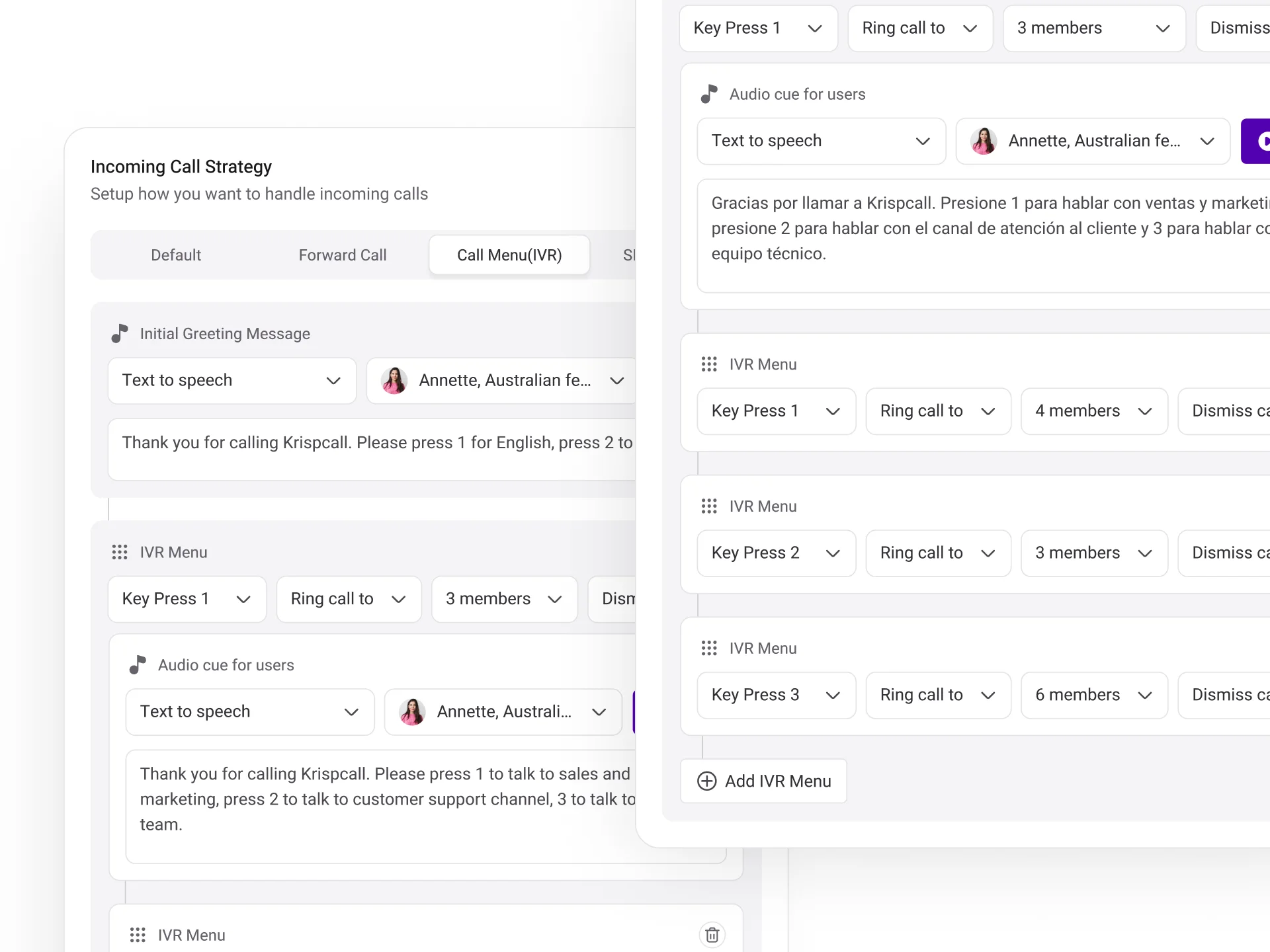
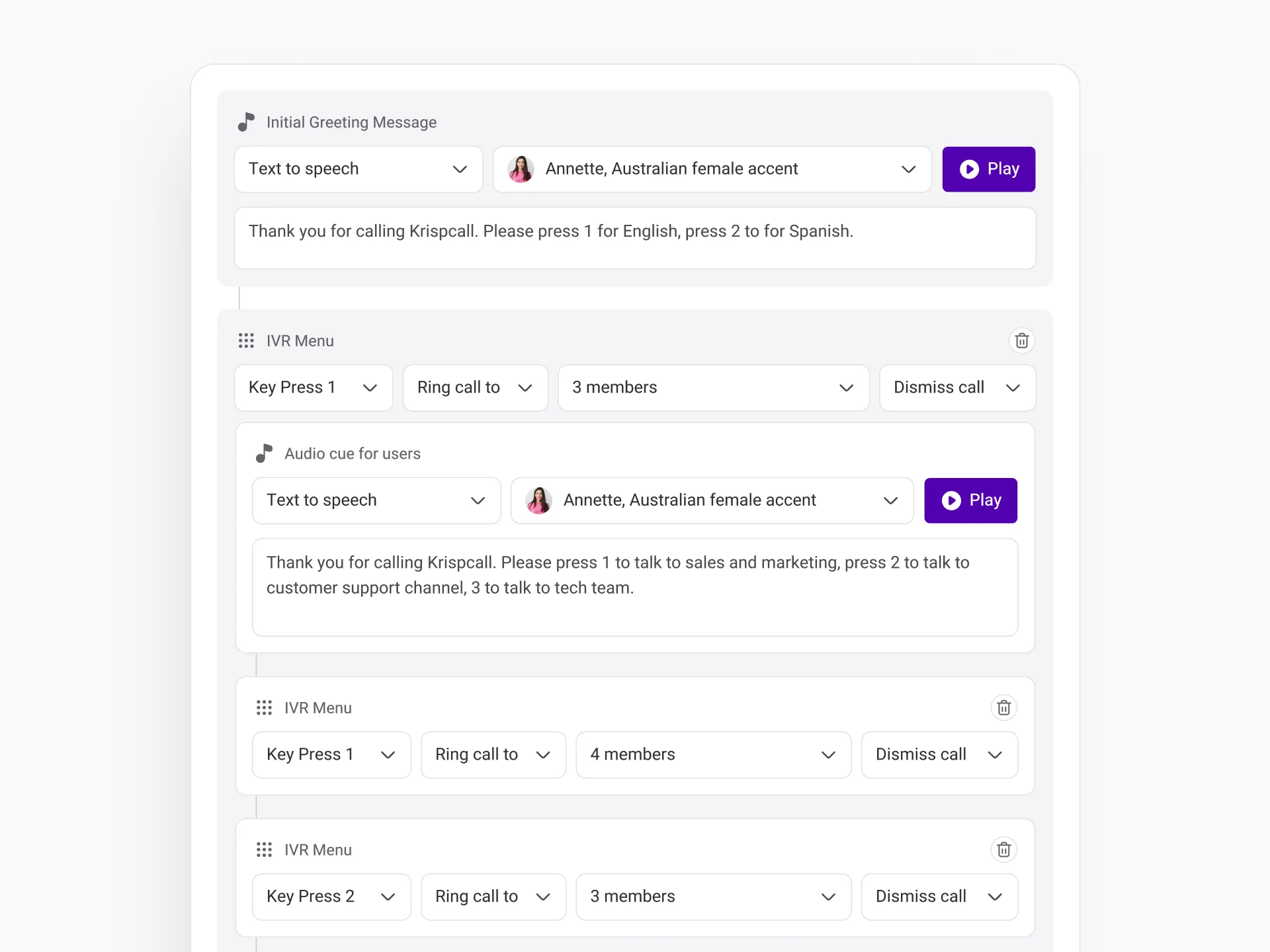
Setting up multi-level IVR in KrispCall is easy. To do that all you have to do is log into your KrispCall account, select a number that you own, and then click on the ellipsis icon (… button) to access number settings. Following that navigate to ‘incoming call strategy’ and click on the Call Menu (IVR) tab. After that, click on “Add an Option” and choose “Send to IVR.” Define key presses with specific greetings and destinations for each level, just like a regular IVR.

Log into your KrispCall account and look for the number list on the left panel.

Select a number you own in which you are looking to set up multi-level IVR and click on the ellipsis icon (... button) next to it. Click on Number Settings from the given options.

In the number settings page, scroll down to the Incoming Call Strategy section and click on the Call Menu (IVR) tab.

Afterward, click on the Add an Option button to set up your IVR menu.

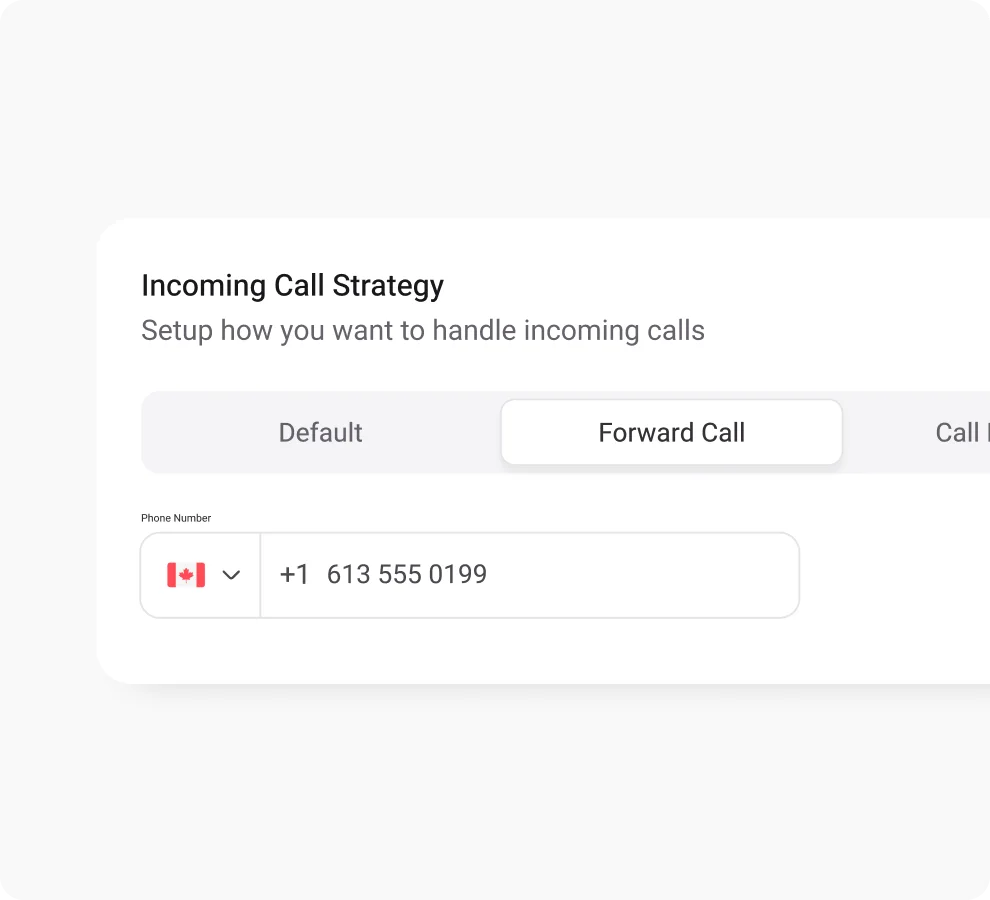
Specify a key (Number from 0-9) and select action. The Forward to action will work as a single-level IVR and give the option to route calls to the specified agent.

For multi-level IVR, click on the Send to IVR option. Afterward, give keys, provide greetings, and assign the calls to a relevant agent/department like a regular IVR setup.

Once you are done, click on Save Changes.
Benefits of SMS Forwarding For Businesses & Individuals

Increases Customer Satisfaction
24/7 Customer Support
Cuts down Agent Workload
More Accurate Call Routing
Makes Business Stand Out
Reduces Operational Costs
Top Multi-Level IVR Providers : Ranked and Compare
Provider |
Price |
Key IVR Feature |
Best for |
|---|---|---|---|
KrispCall |
Starting at $15 per user/month |
Custom greeting (recorded & TTS), Call transfer, live call monitoring, voicemail transcription |
SMB and large enterprises |
KLOUDTALK |
Starting at $25 per user/month |
Call routing, auto attendants, Text-to-speech, callback scheduling |
Small and medium businesses |
Freshcaller |
Starting at $15 per user/month |
Call routing, ACD, Speech-enabled IVR, voicemail transcription, analytics |
Small and medium businesses |
MightyCall |
Starting at $15 per user/month |
Call management, auto attendants, Dial by name, Call Queues, Business Hours |
Small businesses |
RingCentral |
Starting at $20 per user/month |
Skill-based ACD, visual IVR designer, Call recording |
Small and medium businesses |
Twilio |
Pricing based on usage |
Programmable IVR, Text-to-speech, Multilingual capabilities, call routing |
Developers and businesses of all sizes |
NICE inContact CXone |
Pricing available upon request |
Input collection, AI-powered IVR, IVR Press Path report, IVRlog |
Enterprise businesses |
Genesys Cloud CX |
Starting at $75 |
Drag-and-drop flow builder, Customer identification, Omnichannel bot support, Personalized routing |
Enterprise businesses |
TalkDesk |
Starting at $85 per user/month |
End-to-end mapping, self-design, self-service options, route calls to overflow phone numbers |
Enterprise businesses |
Using Multi-level IVR Feature in A Call Center: Best Practices
Keep It Simple
Offer ‘Back’ and ‘Repeat’ Buttons
Map the Caller’s Journey
Include the ‘Speak-to-Agent’ option
More Features like Multi-level IVR
Call Forwarding
Improve call management with call forwarding - never miss vital calls, boost agents’ productivity, and customer satisfaction.
Phone Tree (IVR)
Leverage KrispCall's phone tree for efficient call routing, ensuring swift access to the right department for information.
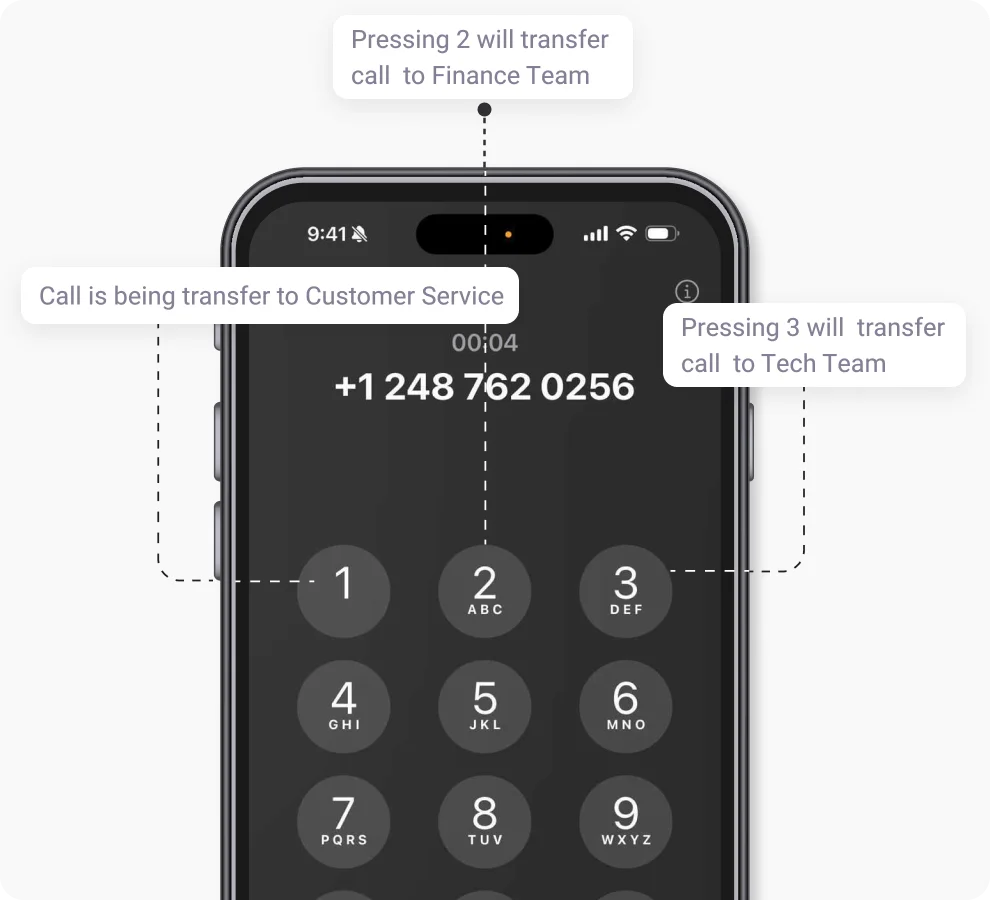
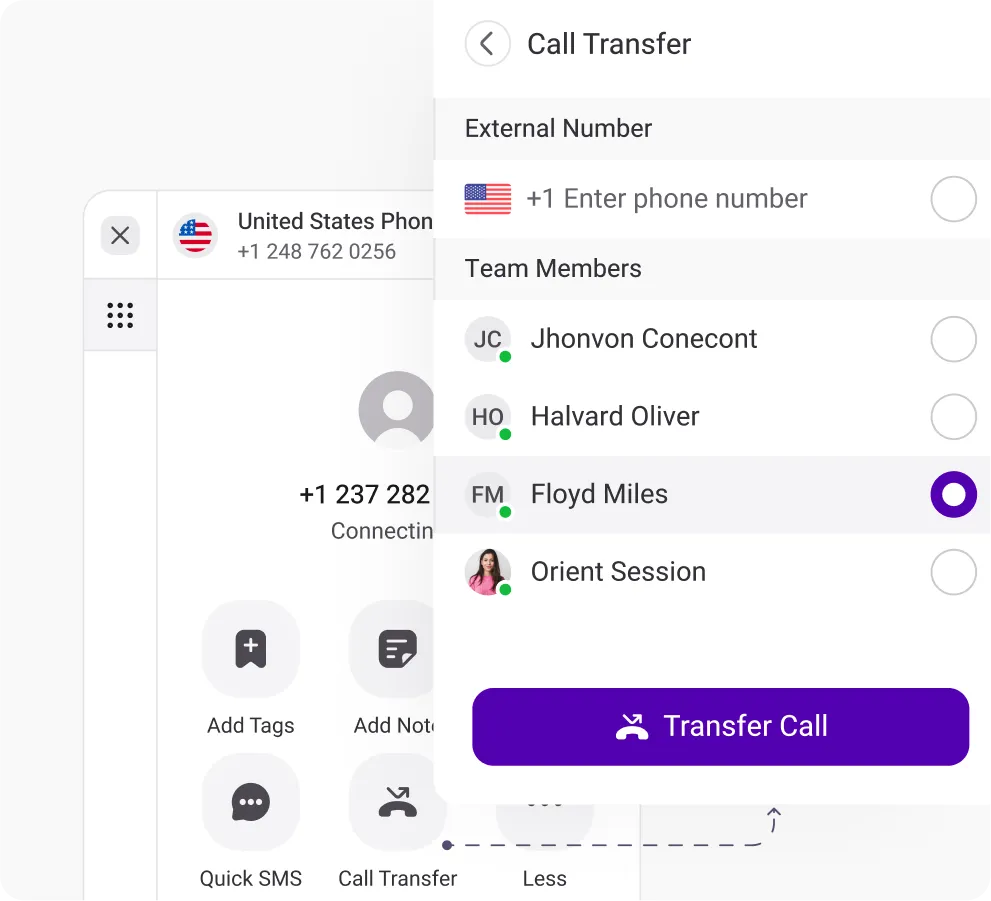
Call Transfer
Route calls instantly to expert agents, minimizing customer wait time for swift query resolution and improved customer support.
Frequently Asked Questions
Didn’t find the Answer you were looking for? Visit our Help Center or Contact Support
Organizations can use multi-level IVR for a variety of purposes such as improving customer experience and improving call management. Some of these include the following:
- For efficient call routing to multiple departments.
- To provide multilingual support.
- Provide more self-service options.
- 24/7 support for urgent queries.
- To deal with high call volumes.
- To provide personalized greetings and routing options.
- Collect data to gather call flow patterns.
A multi-level IVR is useful for businesses that receive a high volume of calls and want to improve their service delivery and customer experience. It is especially useful for businesses with many departments, a large customer base, or multiple office locations.
| Multi-Level Auto Attendant | Multi-Level IVR |
| Automated system that routes calls to different departments or extensions using pre-recorded menus. | Advanced automated system that routes calls, collects information and provides self-service options through multi-layered, interactive menus. |
| Can be customized with greetings, messages, and routing options. | Offers greater customization possibilities, including dynamic menus based on caller data and voice interaction. |
| Improves call routing efficiency, reduces hold times, and provides basic information. | Offers all the benefits of the Auto Attendant, plus self-service options, improved customer experience, and data collection capabilities. |
| Small to medium-sized businesses with simple routing needs. | Large organizations with complex structures, high call volumes, and self-service needs. |
Multi-level IVR systems offer a range of benefits across various industries, with specific advantages depending on the unique needs of each sector. Here’s a breakdown of how businesses in different industries can use multi-level IVR and its benefits:
- Finance: Enterprises in the finance industry can implement multi-level IVRs to help their customers check their balance or recent transactions through an IVR system. Multi-layer IVR systems can also be programmed to assist in making payments.
- Healthcare: Through a sophisticated IVR system, visitors can schedule new appointments or manage existing ones. Additionally, it is possible to guide patients to their results through an IVR system.
- Government: Through automated prompts of a multi-layer IVR, offices can provide basic tax information and answers to common questions to citizens. Citizens can also access information about their eligibility and beneficiary status in particular cases.
- Retail: Businesses can use an IVR system to provide instructions about purchases or guidance about returns/exchanges processes automatically.
Using a multi-level IVR, a business can significantly improve its call management. In other words, businesses can improve their call-handling processes and customer experience. Here’s how businesses can do that:
- Use it to provide more accurate and faster routing of calls.
- Offer more self-service to customers with customizable options.
- Reduce agent workload by allowing them to answer calls only when needed.
- Use it to reduce call queues, AWT, and abandonment rates.
Multi-level IVR itself is a feature included in all of KrispCall’s subscription plans. There’s no special fee for it! Simply set it up and use it to make your customers’ calling experience better.
KrispCall for Multiple Platforms
Stay connected no matter where you are. KrispCall is your constant companion, available on iOS, Android, as a WebApp, and Google Chrome Extension.


